
Home › Blog › News & Updates › Booking Plugin For Restaurants
Booking Plugin For Restaurants
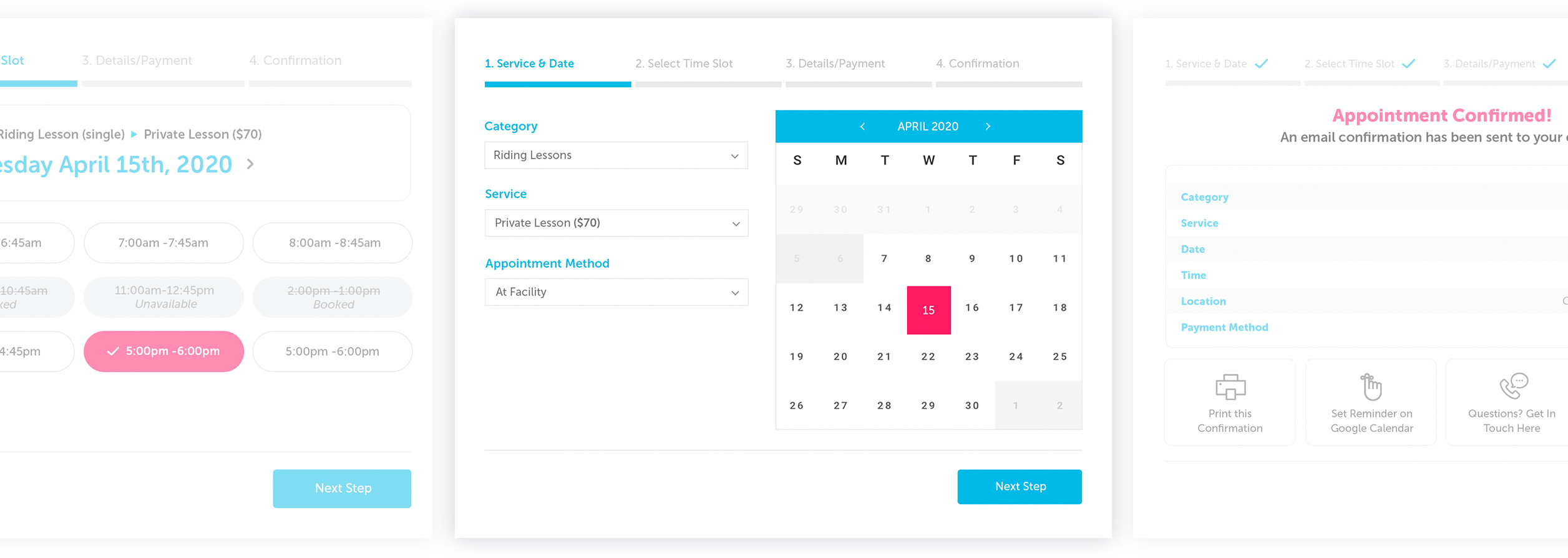
From order pickup & delivery scheduling, to booking reservations, Brindle Booking is the ultimate restaurant booking plugin for WordPress.
& premium tech support plan!
Turn Site Visitors Into Paying Customers
Brindle Booking empowers your restaurant, cafe, or coffee shop to boost sales through customer bookings, from scheduling reservations, to picking up orders.
Book Reservations
Automate customer reservations based on your specific schedule, send reminders, show previously booked times, and more.
Send Reminders
Keep customers and employees on the same page via text and email reminders of any scheduled event or order.
Schedule Deliveries
Customers can order from your menu, pay, and have their order delivered based on preferred delivery times.
Boost Sales
Put your website to work and increase sales via increased reservations and sales of in store products.
Online Pay
Customers can pay for any products they choose directly in the booking process. Whether for food orders, or add-on products.
Sync Calendars
Sync appointments with Google Calendar and keep your upcoming schedule in-line with your employess and customers.
Collect customer info such as email & phone number and boost your online marketing game by requesting reviews.
Works on Any Device
Whether from home or on the go, customers can book reservations in a matter of seconds, helping your business increase bookings.
No Coding Skills Needed
With ease of use firmly in mind, no coding experience is needed to use our products. Simply install, tweak settings and styles to perfection via the intuitive admin, and get ready to launch in no time flat.
Mind Your Business Like a Pro
Accept appointments, grow your lists with email opt-ins, and even accept online bill pay, to name a few. Each feature exists in a unified interface that is equal parts sophistication & stunning design.
We’re extremely proud of our products and want you to feel the same. Each product comes with a 7-day no risk trial and one-click cancellation, no questions asked… though we don’t think you’ll need that button.
Unmatched Design and Tech
Everything we touch is built with cutting edge technology and is constantly updated to stay ahead of the curve. Security, pristine code, and some of the most darn-good looking bits of software around.
Award Winning Support
We’re hyper focused on providing support matching the quality of our products. Our US-based team is not only a friendly bunch, but they’re also top WordPress experts equipped to solve any issues, like, fast.
Crystal Clear Pricing
No confusing tiers, feature limitations, or traffic-based restrictions. You simply get every feature at full awesomeness, and a clear price based on single or unlimited site use. Check our products here.
Aw Thanks, We Like You Too
We’re really proud of our products and want you to love them too. Try Brindle Booking FREE along with our stellar support plan now.